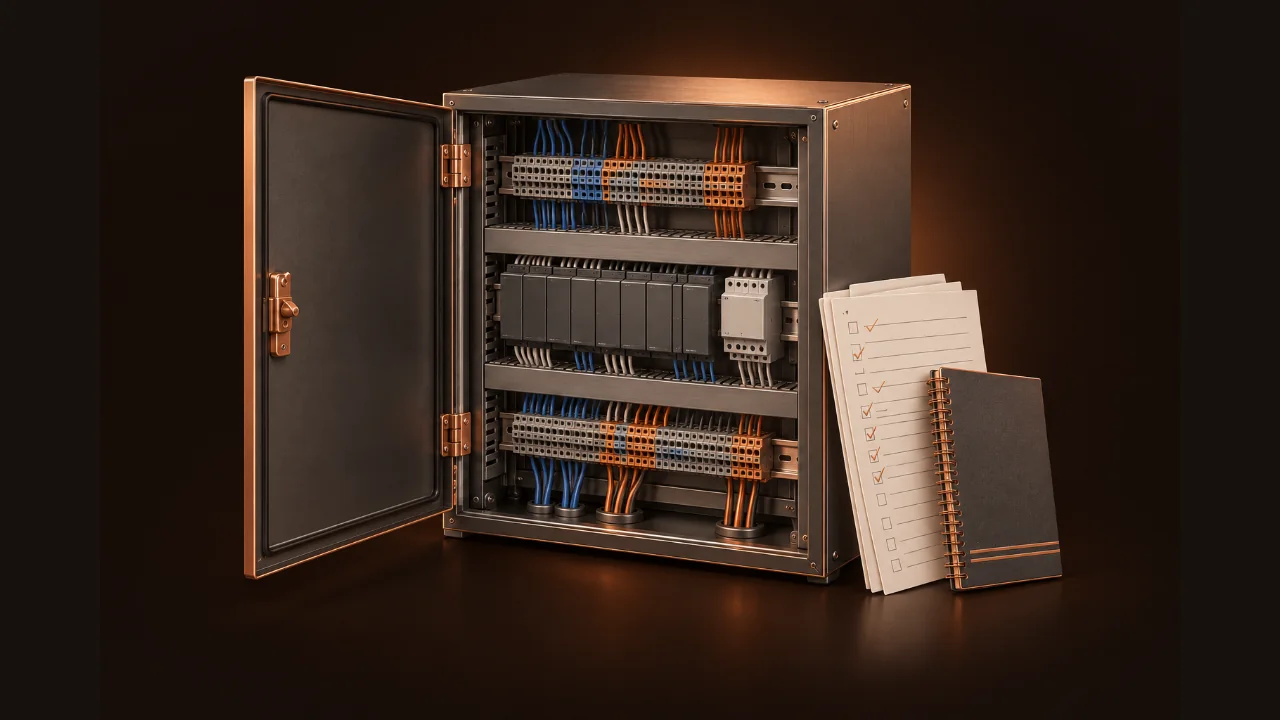
Checkout tools for the tech standing at the panel

Every point.
Every sequence.
Signed off.

A macro-free checkout workbook and field guide, built by a BAS startup tech.

Demo site only · nothing is for sale

Step 1 · Pull it apart

Every system gets its own sequence tests.

AHUs, VAVs, unit vents, plants and integrations, each with a how-to-test step and the response you should see.

0

pre-loaded functional tests across 11 equipment groups

Step 2 · Write it down

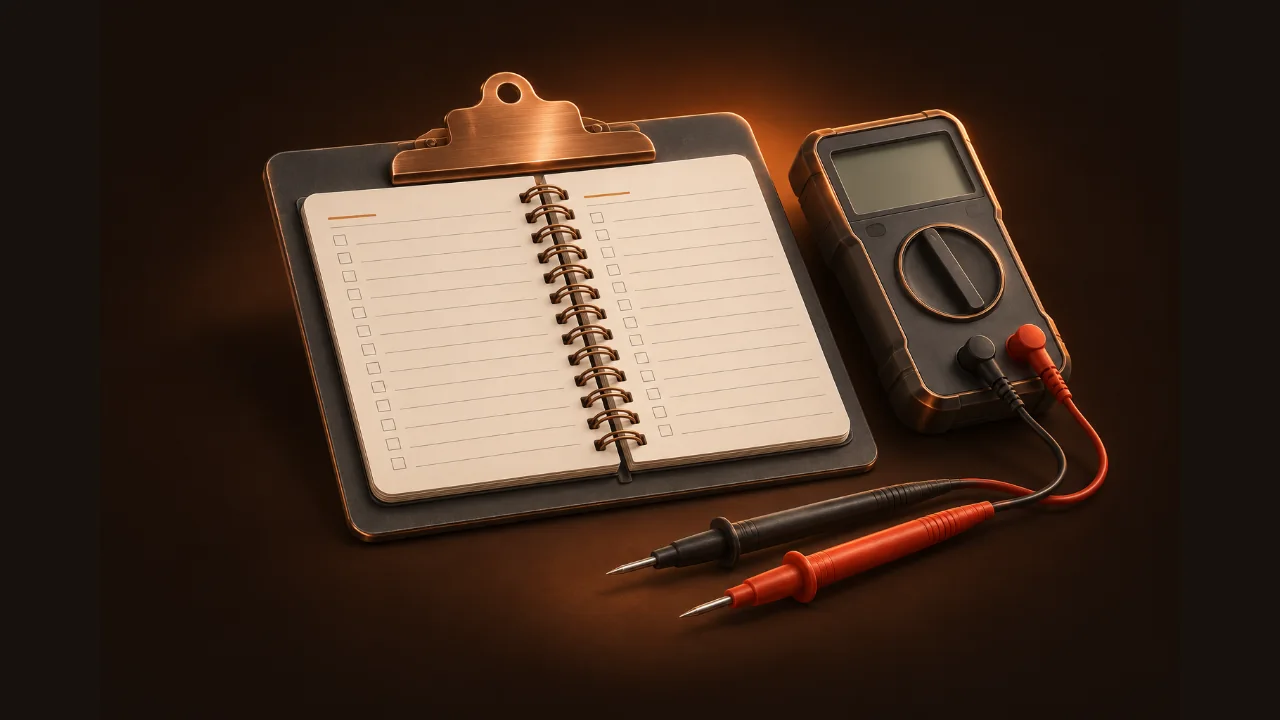
Every piece of equipment becomes a sheet you can sign.

One workbook. Eight tabs. Zero macros.

Opens fast on the old laptop in the truck. Excel, LibreOffice or Google Sheets.

Scroll to pull the building apart

Free iPhone app

Your checkout tools, in your pocket. Free.

Check points against typical tolerances (ASHRAE Guideline 13 for sensors), browse sequence tests, fix common faults and do field math. No account. No ads. No tracking.

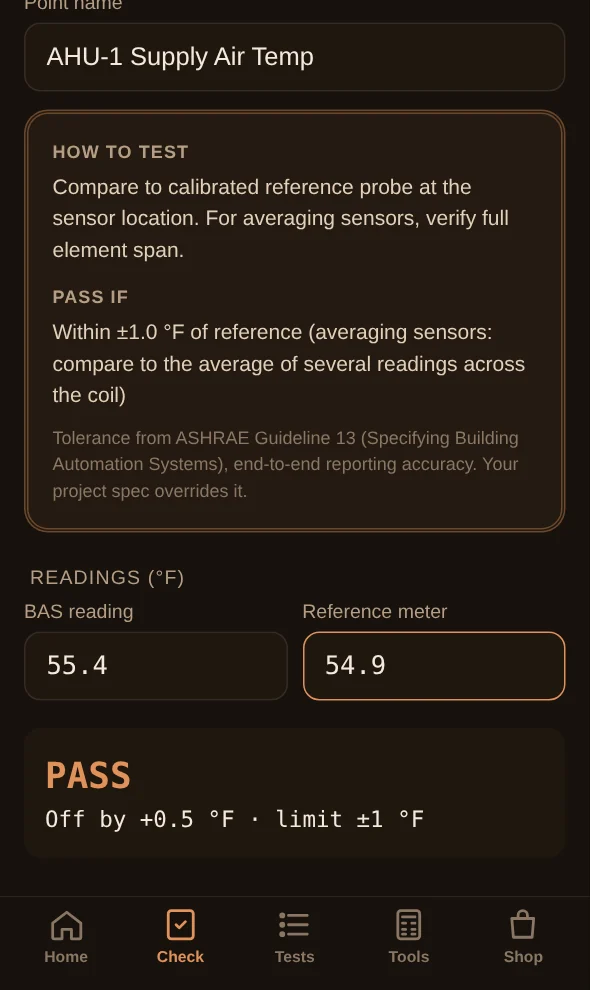
  • Point check21 point types with automatic pass or fail
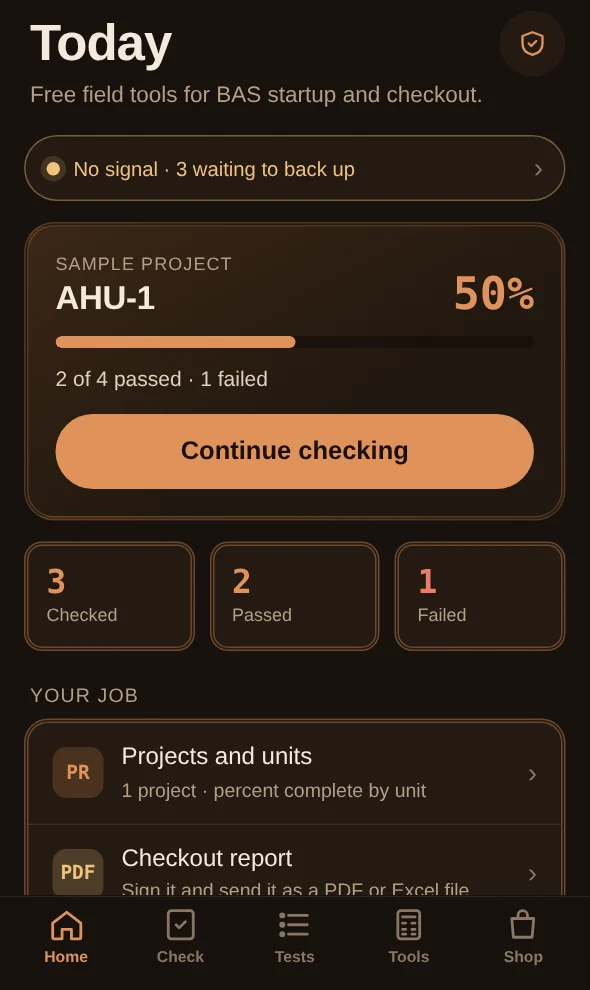
  • Works with no signalChecks save on the phone and back up when you're in range
  • Photo and voice notesAttach a photo and a dictated note to any point
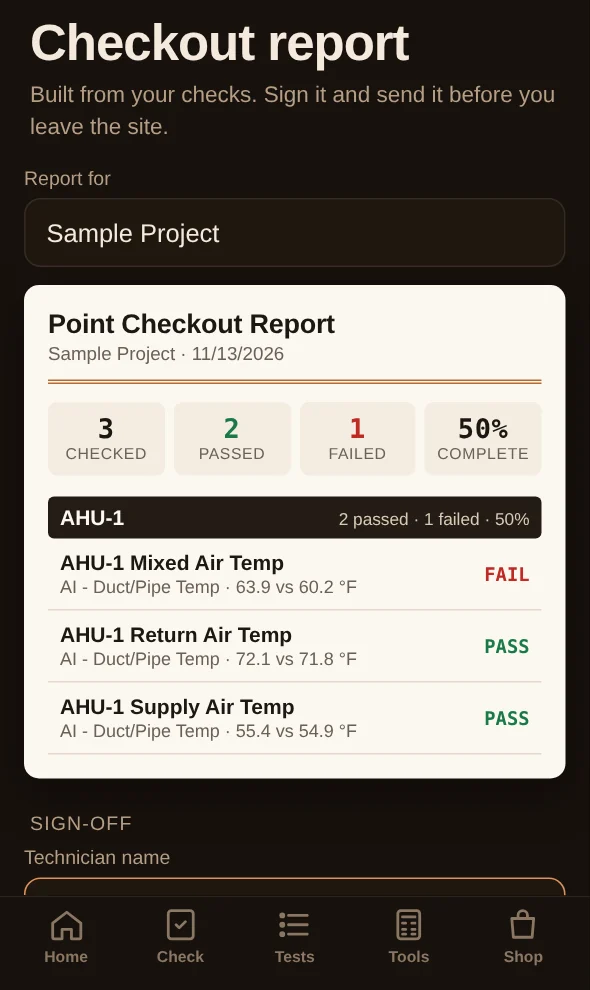
  • One-tap reportA signed PDF or Excel file before you leave the site
  • Projects and unitsPercent complete for every unit on the job
  • Lock Screen progressWidget and Live Activity for the unit in progress
App Store: coming soon

Also inside: sample sequence tests, 11 fast fixes and field calculators. When the store opens, you can buy any kit in the app with your Apple account, or on this site with Apple Pay, your bank or a card. Either way, it unlocks all 93 tests in the app.

Point Check screen: duct temperature passes within plus or minus 1 degree
Today screen showing a unit at 50 percent complete with checks waiting to back up
Checkout report screen with pass and fail results, ready to sign and send

Phone + Windows · coming at launch

Log it at the panel. Finish it at your desk.

Panelside runs on iPhone, Android and Windows. Send the checks, notes and photos from your phone to the Windows app, then build the report on a full keyboard and screen.

Free · no account

Phone Transfer

Tap Send to Windows on your phone. Panelside makes one sync file you can move by OneDrive, Google Drive, iCloud Drive, email, USB or a quick QR pair on the same Wi-Fi. Open it in the Windows app and new checks merge in. Nothing already there gets overwritten.

  • No sign-up, nothing stored on our servers
  • Works with any phone and any cloud drive
  • Merges both ways, with no duplicates

Paid add-on

Auto Sync

Sign in once on each device. Checks, notes, photos and signatures show up on your Windows PC seconds after you get signal. Everything is encrypted on your phone before it leaves, so we store only scrambled data and can't read your jobs.

  • Phones, tablets and PCs stay in step automatically
  • End-to-end encrypted, and you can turn it off anytime
  • Optional. Phone Transfer stays free

Shown for demo purposes. Neither feature is available or for sale yet.

What's inside the workbook

The checkout sheets

  1. 01

    Start Here

    How to use the file, license, and a 2-minute setup.

    Setup
  2. 02

    Summary

    Live percent complete, failures, and open issues by trade, ready for turnover.

    Live
  3. 03

    Job Info

    Site, contractor, controller and network details in one place.

    1 page
  4. 04

    Pre-Startup

    Power, wiring, network, devices, safeties and software before you energize.

    30 checks
  5. 05

    Point-to-Point

    Pick the point type and the test method fills in. Field value and BAS value side by side.

    500 rows
  6. 06

    Sequence Tests

    Functional tests with how-to-test steps and expected responses, plus blank rows for your own.

    93 tests
  7. 07

    Issues Log

    Your punch list, with owner, priority and status.

    200 rows
  8. 08

    Test Guide

    Test methods and typical tolerances by point type. Sensor tolerances follow ASHRAE Guideline 13.

    21 types

Sequence tests by equipment

Tap a group to see sample tests.

Try it before you buy

Run a point through the workbook.

This works like the real file. Type a point name, pick its type and the test method fills in. Set a result and the summary updates.

A 3-row preview. Rows start blank, like the real file, because untested results should never be pre-filled. The workbook has 500 point rows, 93 sequence tests and 555 live formulas.

Proof

Every number here is one you can check.

These figures are counted from the file you download. We don't post reviews we can't verify, so you won't find invented ones here.

93
sequence tests
21
point types
11
equipment groups
8
workbook tabs
555
live formulas
0
macros
500
point rows
30
pre-startup checks

Built by a working BAS startup technician who runs point-to-point checkout and sequence verification in the field. The kit contains no client, employer or project data.

Security & privacy

Your payment details never touch our servers.

Card and bank details are encrypted on your device and sent straight to a certified payment processor. We never see or store them. This website collects nothing about you.

Encrypted from your device to the processor

Checkout pages load over HTTPS (TLS 1.2 or later). You type card and bank details into the processor's own hosted page, not ours.

PCI DSS–validated checkout

Bank and card payments run on Stripe, a PCI Level 1 Service Provider that an independent assessor audits every year. Card payments can also run on Gumroad's hosted checkout.

Apple Pay keeps your card number private

Apple Pay sends a device-specific number and a one-time security code, approved with Face ID. Your actual card number is never shared with the seller.

No cookies, no trackers

No analytics, ad pixels or sign-up forms. Every script, font and image is served from this site, and a strict Content Security Policy blocks anything else.

App data stays yours

Checks, photos and notes are saved on your iPhone and encrypted by iOS whenever it's locked. Backup goes only to your own private iCloud, which we can't read. Reports are built on the phone, with nothing uploaded. Optional Auto Sync encrypts everything on your phone before it leaves.

Follows Apple's privacy and security rules

The app follows the App Review Guidelines and ships a privacy manifest. It's built against the OWASP mobile security standard (MASVS), and an independent security review comes before launch.

Packages

Pick your kit

Single-user license, unlimited projects. Vendor-neutral: EBO, Niagara, Metasys, Honeywell, Siemens, Distech and others.

Demo only. This site is for demo purposes only and nothing on it is for sale. Packages and prices are shown as examples. The free cheat sheet and the field resources are ready now.

At launch, pay withApple PayGoogle PayBank (ACH)CardPayPalIn the free appEncrypted, PCI-validated checkout
Commissioning Toolkit Bundle cover
Best value

Commissioning Toolkit Bundle

$39

  • Checkout Workbook (.xlsx)
  • Startup & Checkout Field Guide (PDF)
  • Save $2 vs. buying separately
Coming soon Also in the free app
Checkout Workbook cover

Checkout Workbook

$29

  • 8 tabs, 555 formulas, no macros
  • 500-row point-to-point table
  • 93 pre-loaded sequence tests
Coming soon Also in the free app
Field Guide cover

Field Guide

$12

  • 5-page printable PDF
  • Startup order and tolerances
  • 11 fast-troubleshooting fixes
Coming soon Also in the free app
Team License cover

Team License

$199

  • Bundle for up to 10 techs
  • Your logo on exported records
  • Free v1.x updates
Coming soon Bank invoice at launch · Web only

Guarantee and terms

30 days to decide. Terms in plain English.

30

30-day money-back guarantee

If the kit doesn't earn its keep on your next job, reply to your receipt email within 30 days for a full refund. No form to fill in.

One license, unlimited projects

A single-user license covers you on every job you work. Edit it, copy it per project and hand over the completed records.

Team license: up to 10 techs

One purchase covers up to 10 technicians at the same company, with your logo on exported records.

Free v1.x updates

Every fix and added test in version 1 is free. The updated file comes from the store you bought it from.

Privacy notice

What we collect, and what we don't

This website

Collects nothing. It sets no cookies and runs no analytics, ad pixels or forms. Our host may keep standard server logs, such as IP address and time, for security.

When you buy

Checkout runs on Gumroad or Stripe. They collect your name, email and payment details to process the sale and send your files. We receive your name, email and what you bought, never your full card or bank numbers. We use your email only to deliver and support your purchase.

The iPhone app

Your projects, checks, photos and notes are saved on your phone. If you turn on backup, they sync to your own private iCloud, which we can't read. The camera and microphone are used only when you tap Take photo or Dictate, and location data is removed from photos. If you sign in to unlock a website purchase, we use your email only to confirm that purchase. App Store purchases are handled by Apple.

Your choices

Ask us to delete your purchase record at any time. Deleting the app removes everything it stored on your phone.
Security details

How we protect you

Website

Payments

iPhone app

The app items are requirements for the App Store build, which gets an independent security review before release. The app is not released yet.

License terms

What you can do with the kit

You can

Please don't

Team license

Covers up to 10 technicians at one company. Need more seats? Ask and we'll sort it out.

Updates

All version 1 updates are free and come from the store you bought from.

Refunds

Website purchases: reply to your receipt email within 30 days for a full refund. Purchases made in the iPhone app are refunded by Apple at reportaproblem.apple.com.

Your responsibility

Tolerances and test methods are typical industry values. The project specification and the engineer of record always govern, and you remain responsible for your own work. The kit is provided as is.

Keep it handy

Add Panelside to your Home Screen

iPhone and iPad

In Safari, tap the Share button, then choose Add to Home Screen.

Android and desktop Chrome

Open the browser menu and choose Install app or Add to Home screen.

Once added, the site opens full screen, and pages you've visited keep working with no signal.